
PaperOI Academic Writing Workspace

From proposal to final draft, keep your paper moving

Organize sources, write by chapter and revise in one place. Open each tool only when you need it.

ManuscriptChapter outline and current text

Paper progress

Start where you are. Move between outlining, research, drafting and presentation as the work takes shape.

Two CNKI checks on the same paper

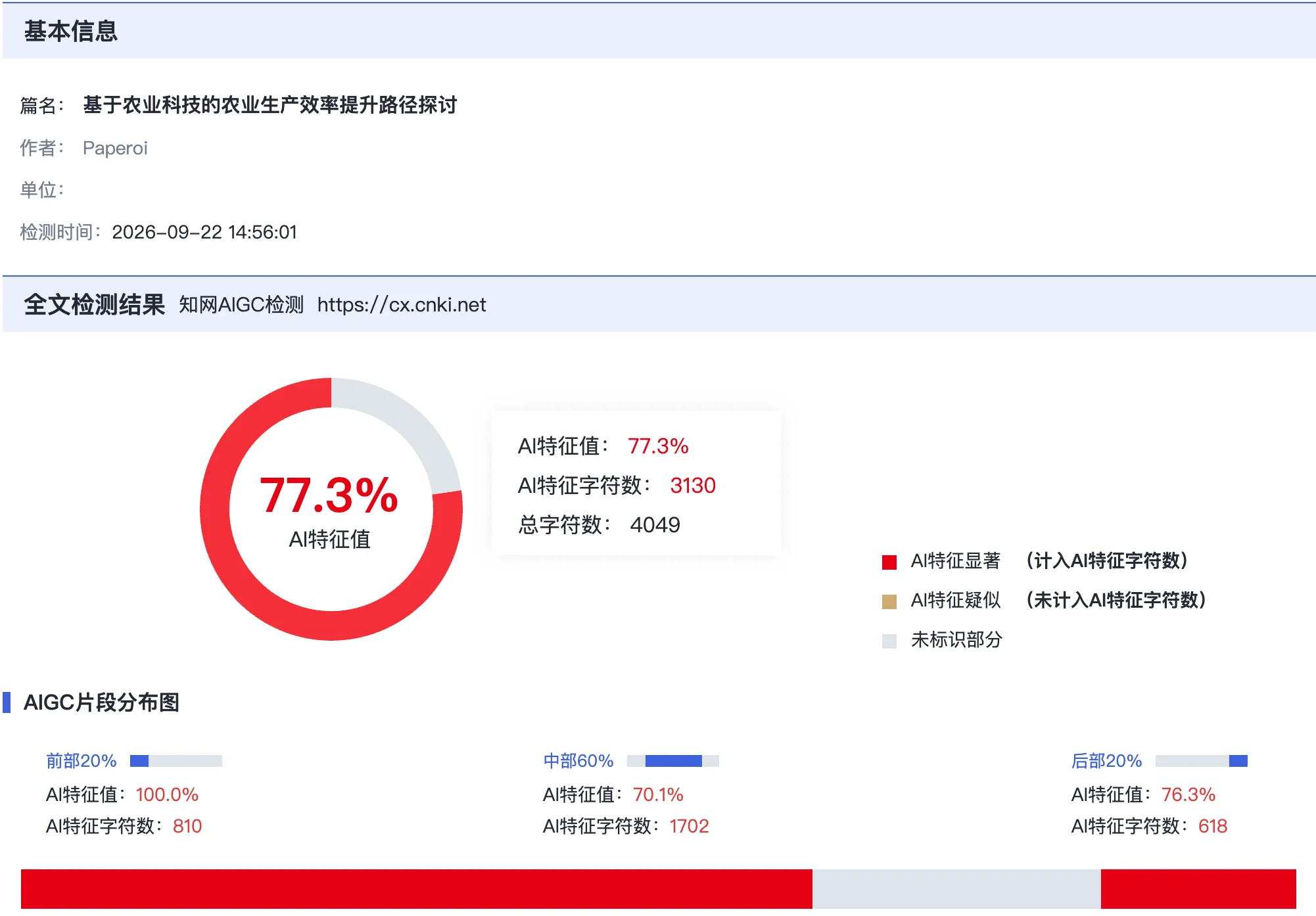
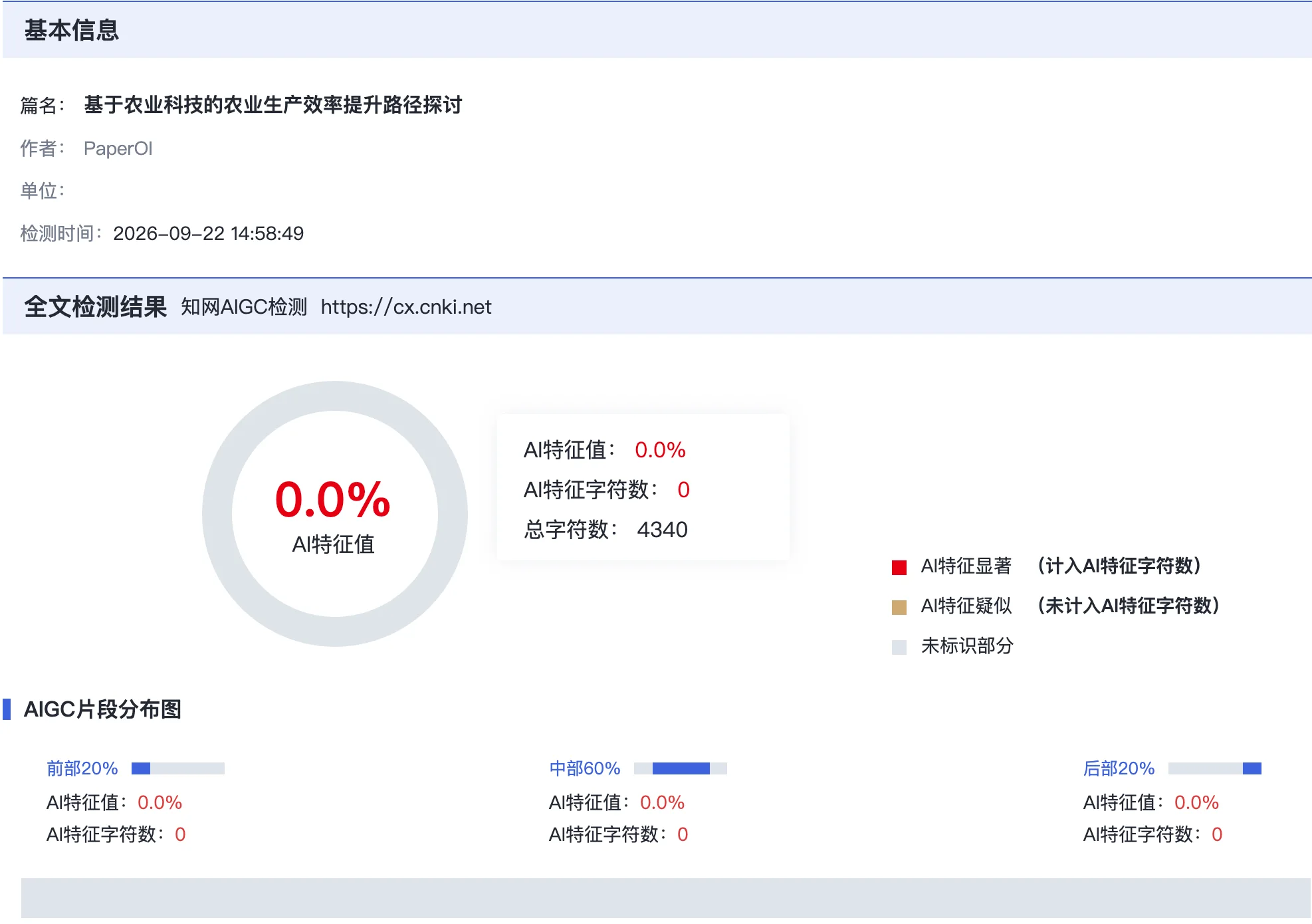
After using PaperOI's AIGC reduction tool, this paper's CNKI result changed from 77.3% to 0.0%. The two reports below show the checks before and after processing.

Before77.3%
After PaperOI0.0%

A single-paper example. Results vary by document and detection service.

Before77.3%
Example AI review report with flagged text segments
After PaperOI0.0%
Example AI review report with a clear result

Inside the workspace

Reference management and text revision are shown separately. Switch to the task you want to see.

Review the edited text, then check its meaning, citations and formatting against the original.

Open revision tools
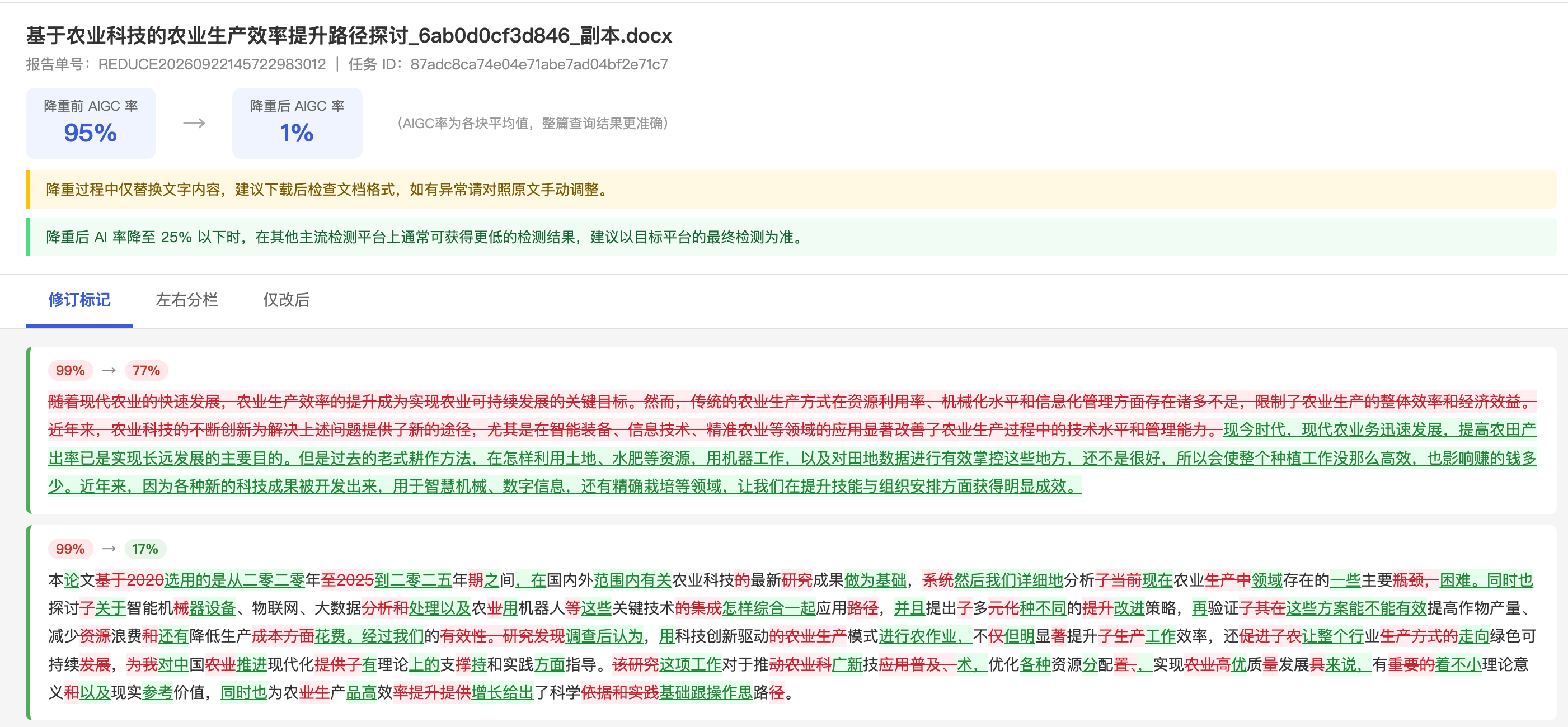
Full text revision workspace
Complete text revision workspace showing the guidance and two comparison results

Interface preview only. Results vary by document and detection service.

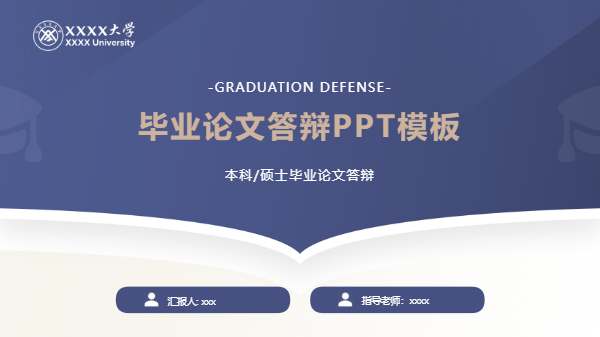
Thesis defense presentations

A selection of thesis defense and research presentation templates, each with a different visual structure.

Open presentation tools
HELP & ANSWERS

Frequently Asked Questions

Answers about writing tools, references, exports and document privacy.

CONTACT

Talk to PaperOI

Reach us through the service accounts or by email. Choose whichever is more convenient.

SERVICE CHANNELS
Official WeChat
Official WeChat
WeChat Customer Service
Business Cooperation
Official Douyin
Official Douyin
EMAILpaperoi@163.com

For product feedback, billing questions, or business enquiries.